


"We are so happy to have found Donarius to replace our old and buggy Geminon software.
We are a small church and have to be mindful of our spendings so were pleased by the
software price. Donarius has everything that we need and more. The customer support
for our printing issue on our Mac was prompt and excellent, very surprising
considering the low price of the software."
- Nathalie D., Curries United Church, Woodstock, ON
Pause
Pause


|
Where to buy a check scanner/reader for Donarius®?
|
||
To use a check scanner/reader with Donarius® any one which sends the check data to the keyboard will work. It will be either a wedge interface or a USB interface with keyboard emulation. If you have some other interface, you can also use a driver which intercepts data from the check scanner/reader and converts it to keyboard emulation input. This means you could use a check scanner/reader with a regular USB interface or one with a serial port interface. |
||
Here are some suppliers:
For the older model, you must order a cable separately (MagTek Part No: 22517583): |
||
| More features of Donarius >>> | ||
| <<< Back to Donarius Main Page |
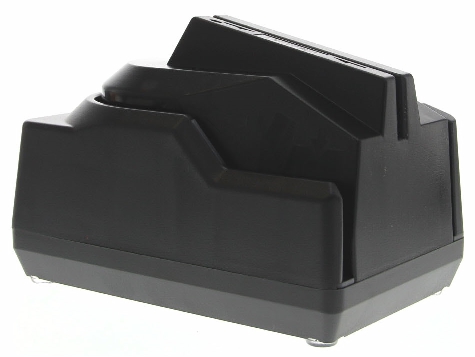
 The easiest setup is just to use the MagTek MiniMICR reader
with a USB interface and
keyboard emulation. (MagTek Part No: 22523009)
Magtek has discontinued this model but you may still be able to find it.
The easiest setup is just to use the MagTek MiniMICR reader
with a USB interface and
keyboard emulation. (MagTek Part No: 22523009)
Magtek has discontinued this model but you may still be able to find it.
| Last Modified: Oct 19, 2026 |
® Registered trade-marks of Nuverb Systems Inc.
Copyright © 2026 Nuverb Systems Inc. |
The multifaceted uses
of Donarius®: Church Management Software Donor Management Software Donation Tracking Software Pledge Tracking Software Photo Directory Software Synagogue Management Software |